Categories
Featured My Advice

Remote working etiquette

In one of my first blog posts, The 5 biggest challenges while working from home and how to overcome them, I was talking about remote working etiquette. And I promised then I would write a post dedicated to this topic as I believe it is really important for everyone who work remotely. So that day has come. Go grab a coffee, tea or any other beverage you enjoy, as this is going to be a long one :D. You might be able to tell it’s a topic that I’m really passionate about πŸ˜‰

But first and foremost, before we go into the nitty gritty of dos and don’t, let me put this out there. Working from home or any other place, camera on or off, does not spare you the need to act with common sense and in a polite and considerate way. If anything, when you interact with others virtually, I would say you need to be even more considerate and careful, as you might miss important queues in your communication with others. This is of course a skill anyone can develop over time, but at the beginning, try to put more effort into your conversations than you would in your face to face interactions.

So let’s get into the details.

INTRODUCTIONS

Just like in real life, when you speak to someone virtually, via Skype, Teams, Google + or any other platform, you still need to greet them. Also, if it’s your first time talking, you should introduce yourself. Of course they can check your online profile and know who you are. But introducing yourself will not only save their time, but also help break the ice and give you an opportunity to connect with the other participants on a more personal level.

BE RESPECTFUL OF OTHERS’ TIME

Show up on time. Working virtually does not make it ok to be late. In fact, when you work remotely there is no excuse to be late other than “my other meeting ran over”. But trust me, this does not make your colleagues who have been waiting for you in the call for 10 minutes feel any better. And if it does happen to run late, do me a favor and give them a heads up. There is nothing worse than wait in a call for 10min and have no idea if the other party will eventually dial in or if they’ve stood you up. The only thing that might make them feel better when you show up late though is assuring them the meeting with them will still finish on time, regardless of the delay.

TIME BACK IS A GREAT GIFT

And continuing on the same note related to time: if you happen to finish the conversation ahead of the scheduled time, do give the time back if you are the organizer of the meeting. Trust me, regardless of the level that your conversation partner has, they will appreciate the time back. I know that in some cultures you might feel that you “need to fill up the time” to show how important your topic is or how busy you are. But my experience shows that everyone appreciates getting those few minutes back, even if it’s only enough to get another coffee.

β€œTime is what we want most,but what we use worst.” 
― William Penn

BE THOUGHTFUL AND MAKE IT EASY FOR EVERYONE

This one is related to those cases when you receive a meeting request with no details on the topic to be discussed. Expect and provide clear details regarding the purpose of your meeting to allow the other participants to prepare ahead of the meeting and make it a productive one. Everyone wants to finish as soon as possible. So please take 1 more minute and explain the scope of any meeting you set up. Sometimes 1 line is enough and it makes a huge difference.

FEEL FREE TO SAY NO

β€œHalf of the troubles of this life can be traced to saying yes too quickly and not saying no soon enough.”

– Josh Billings

In fact, one rule that I have with my team is that they can decline any meeting request where they do not receive context on the scope or where they don’t feel they can add value. This is driven by the fact that when you work remotely, people feel they need to set up a call with you for everything. And if you are not careful you can easily get sucked into a cluttered schedule full of useless meetings. This in turn usually leads to the need to work over time to catc up on all the work you wanted to get through that day but couldn’t due to all these meetings that kept you busy.

I challenge you ;). Try saying no. Trust me, it is refreshing. Not only does it save you a lot of time, but also keeps the “virtual” clutter away.

REITERATE THE PURPOSE OF THE MEETING

Another aspect that I find critical is reiterating the purpose and the scope of the meeting at the beginning of the conversation. This helps clarify for everyone on the call what you are looking to achieve and usually allows you to reach that goal within the scheduled time. Otherwise, you run the risk of going in circles and feel you are not getting anything out of the conversation.

WORKING VIRTUALLY OR VIRTUALLY WORKING

This is another aspect that annoys me a lot. People who dial into calls and say/ contribute nothing. Really, why would anyone want to be a wall flower? Time is so precious and scarce, why would anybody want to waste it on meeting where they bring no value? Is it just to look busy? Of course, if you are new to a topic and it is a valuable conversation for your learning, by all means. But even then I’d assume you would have clarification questions to ask. So please please do me a favor and if you chose to join a meeting make sure you have something to contribute and add value to the other participants. Otherwise simply don’t join.F

TECHNOLOGY GLITCHES HAPPEN BUT ARE VERY ANNOYING

It does happen sometimes that technology doesn’t work. You might be in an area with poor data coverage or your device decides to restart unexpectedly. And even if the other party can understand, it is still annoying. So you do want to make sure you check on the minimum requirements before you dial into a call. Be sure your device is charged – no one wants to run out of battery in the middle of an important call. I’ll touch on this topic in a post on charger and cables and how I manage this in a post that is coming soon.

I’d be curious to know what is your experience with remote working ettiquette. Leave me a comment below. I’d love to talk.

Until next time,

Laura

Categories
Featured My Advice

What devices and gadgets I use to work from home

As I promised over on my Facebook page, today I am going to be talking about the devices and gadgets I use to keep myself at the top of my game while I work from home. Read till the end for a bonus: what I’d love to get and hopefully will soon πŸ˜‰

COMPUTER

First and foremost, is my computer. Shocking, right? πŸ˜€ I would not be able to do any work without it, particularly when it comes to my own individual contribution. Presentations, analyses, basically everything where I need to use Microsoft 365 or calls where I need to share my screen. My computer is a crucial component for me being so productive.

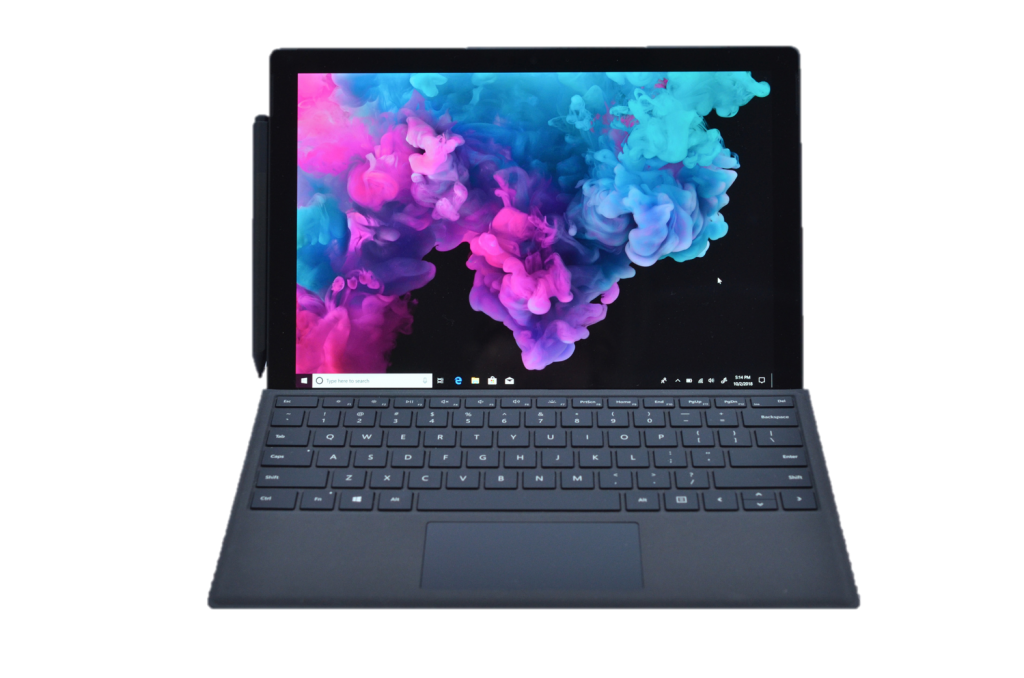
Now, when it comes to the one I use. I have been using a Surface Pro for many years now. I even upgraded from Surface Pro 3 to 5 last year, for more power. And the reasons I chose the Surface are really easy:

  • it is thin and light. Which means it fits in any of my bags and I can travel with it really easily
  • It has a touch screen, which makes my experience as a user so much more natural. I love using my fingers as opposed to a mouse
  • It comes with a pen, which means I can hand write (I already told you I am a big fan of writing πŸ˜‰ )
  • The battery autonomy is amazing – I don’t need to carry the charger with me when I go to work from the cafe next door for a few hours

PHONE

As far as my phone is concerned, I have always used an iPhone. Well, that’s not exactly right. I have been using mostly iPhone, except for a short couple of years when I tested out the Nokia ones. I came back to iPhone about 4 years ago, as I was really missing my apps which were not available on the Nokia platform. Last year I upgraded to an iPhone X and I cannot be happier. Even though I find it still a bit too large and too heavy for my liking, my phone is soon going to steal the first place in my top devices I use for remote work.

I have it with me at all times and I use it as my “first response” device. That means that I take many of my Teams calls from it – so I can be mobile and keep doing household chores when needed. But also that I use it to reply to urgent emails on the go, approve system requests for my team (holiday requests, expenses, you name it).

Other than using it for work, I use my phone for literally everything I need in my personal life. I make payments, I book hotels, I check bus schedule or purchase movie tickets. And of course social media. My phone is the main outlef t for posting and checking all my social media channels.

WIRELESS PHONE CHARGER

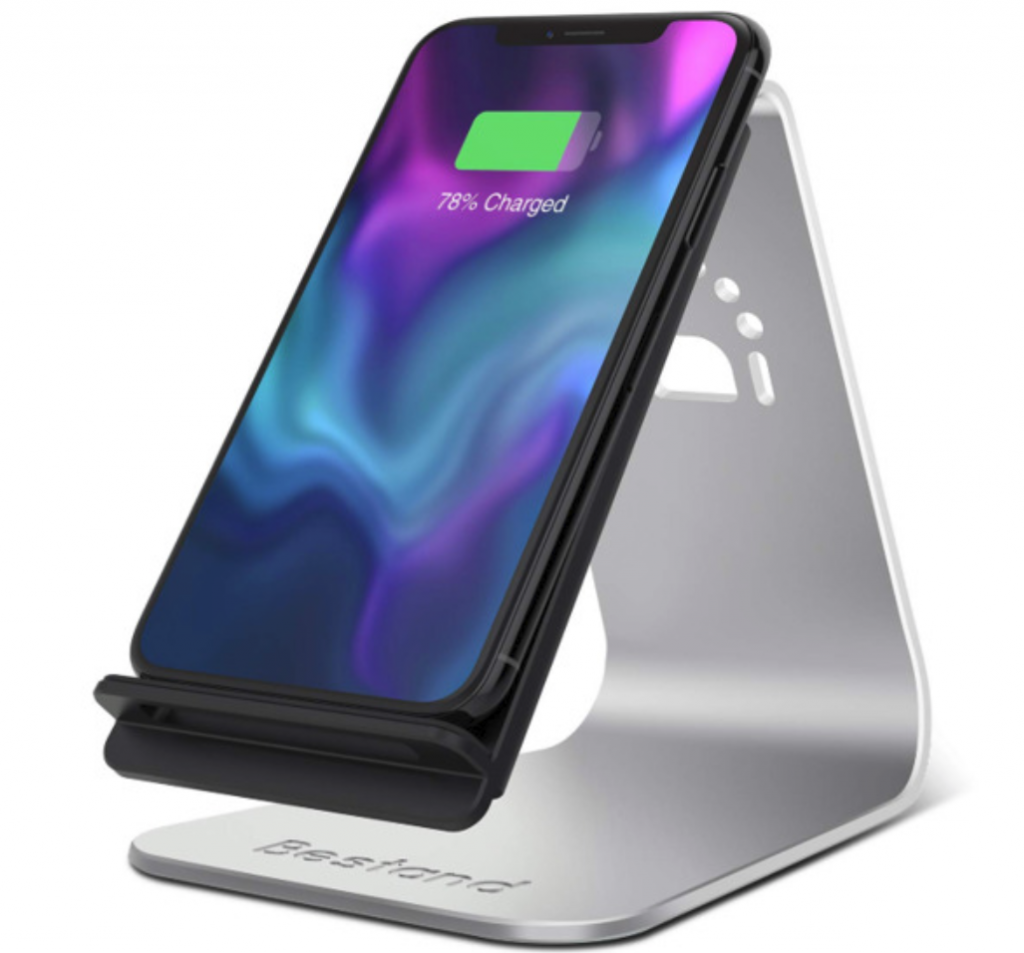
But my close attachment to my phone would probably not be that close had I not been using a wireless phone charger. This was really life changing. Not only that it charges my phone really fast and I am never worried I would run out of battery. Since I also use it as a phone stand on my desk so my phone is basically always charging while I use it. But I also absolutely love the fact that it saves me from the “cable drama”. And I’m sure you know what I mean :D. Do leave me a comment below if cables are also one of your pet peeves πŸ˜‰

WIRELESS HEADPHONES

Another critical one are my headphones. Since probably 50-70% of my work is done via conference calls, I need a good pair of headphones to ensure great quality sound. And here I honestly tried everything. I tried wireless speakers, I tried the over ear ones with vacuum function for noise cancellation, I used wired ones. You name it. But I truly swear by my Bose ones I’ve been using for the past year. They are comfortable, don’t fall out of my ears. The sound quality is amazing both for me and those I speak to. And the battery life is awesome. I charge them every night and have them running through the day. Last but not least, the fact that they always hang around my neck allows me not to “lose” them around the house or in my bag πŸ˜€

APPLE WATCH

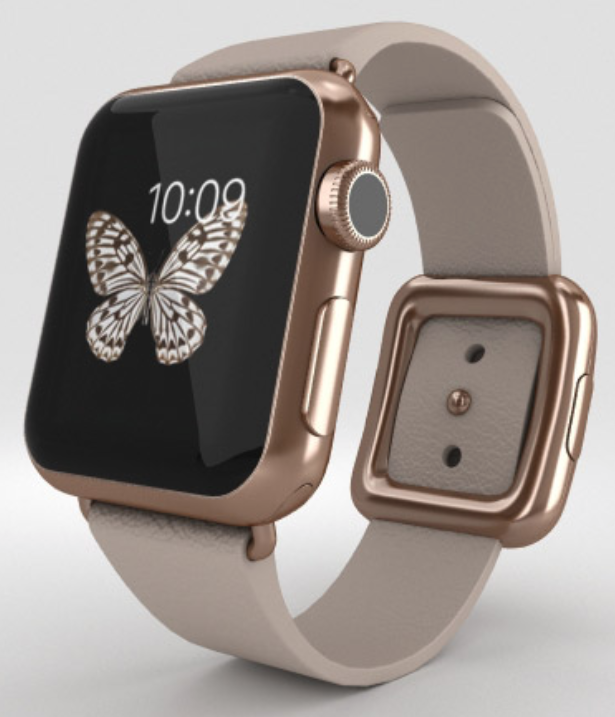
This one is not so much for work as it is for my wellbeing. I don’t use the watch for emails checking or anything work related. Its main use is to keep me grounded and healthy. I love that it reminds me to stand, as this is a great opportunity for me to take breaks. If you haven’t already, check out my blog post where I talk about the importance of taking breaks when you work from home: My top 3 tips about working from home. It reminds me to breath and most importantly to exercise.

BONUS: Second screen

If you have read until here, thank you ;). As promised, here is a bonus one: a second screen. For a long time I did not use one. And I believed I can manage with my Surface screen. And I did. But once I was introduced to the idea of a second screen, I was blown away. Not only that it allows me see everything at a larger scale (and I don’t strain my eyes), but it is also much easier to keep track of things in parallel. Since the one I am using now is a really old screen (my husband used to use it as a desktop screen many many years ago), I am now considering buying a new one. And the Surface Studio has grabbed my attention. What do you guys think – should I take the plunge and get it? πŸ˜€

I’d be curious to know what devices you use to work from home. Let me know in the comments below.

Until next time,

Laura

Categories
Featured Stories

How I started working from home

Even though I had occasionally worked from home in my previous jobs, it was not until I joined my most recent employer that I started consistently working from home.

Categories
Featured My Advice

My top 3 Tips about Working from Home

If you are new to working from home or have been doing this for a while but feel overwhelmed, here are my top 3 tips about working from home and doing it successfully. These are things I have discovered to be working for me over the years and that allow me to spend my day in a balanced yet effective way. As ever, not everything that works for me will work entirely for everybody else out there and I cannot claim that. What I do hope is that you will at least find a few ideas and inspiration to help you navigate through this lifestyle and find those things that work best for you.

1. PLANNING

Probably one of the most important things I have learned over the years while working from home is planning – taking the time every day, or even once a week to plan and schedule my time for that particular day or week. Now the way you do that is less important. My preferred way to plan is to do that directly in my Outlook calendar, by blocking particular intervals of time to do email, to focus, or to run errands. I decide when I want to start and end my day. In addition to that, for the blocks of time that have a less precise outome, I go the old fashioned way and I use a hand written to do list. That is because I find pleasure in crossing things my to do list. This also helps me keep track of all the short term as well as long terms goals.

As mentioned, there are multiple ways you can plan: to do lists, bullet lists, mobile phone apps like the Notes and Reminder apps, or more advanced ones like OmniFocus, Monday.com, Todoist, Pocket. Also, nowadays more and more use their AI assistants like Siri, Cortana or Alexa.

Choose your favorite and whatever works for you. The goal here is to make sure you at least:

  • Decide when to start and end your work day – otherwise you will end up working way too long hours
  • Decide what are the key tasks you need to complete on that day or week
  • Plan enough time for yourself. We will come back to this later in this post.

2. DESK SPACE

Another aspect that is key to my effectiveness while working from home is making sure my desk space is clean and well organised. Clutter makes me nervous and less productive. I then get distracted by things I feel I need to put back into their spot or by realizing I am missing items I use regularly. And this prevents me from really focusing on completing my tasks effectively.

So I made it part of my every day morning routine that I clear out my desk and get it ready for a great day. I put back all the things that do not belong there and I only keep my essentials: laptop and mouse and my docking station, my agenda, my phone and wireless charging stand so I never run out of battery on my phone and I am alwaysready to go without worrying if I have enough battery left to finish a conference call. Then I have a few “feel good” items I like to keep on my desk: my coffee cup, a scented candle, my water bottle and flowers.

3. BALANCE

Last but not least, make sure you keep your day balanced. Be sure to set some time asside for yourself and plan for that with intention. If you enjoy going to the gym, then plan for a workout break every day or every other day. If you prefer yoga, then set aside time for a few poses. Plan for meditation time, or a run or whatever helps you recenter. At the end of the day you want to feel content with what you have accomplished and not feel that you only “wasted” your time on fixing other people’s problems.

I learned this from one of my former managers who used to book time in his agenda for a daily workout during the lunch break. He would also encourage us, his team, to take an hour every day to work out or practice a sport that helps us get energized. Thank you, Simon πŸ˜‰ And that was because studies show that when you exercise, your brain clears out and you become much more effective than without that workout.

All in all, working from home has its perks – the flexibility, the quiet time, the lack of commutting time – but at the end of the day, it is what you make of it. So be mindful and plannful. And enjoy every day.

Until next time,

Laura